Buying a laptop in 2025 feels different from how it did a few years ago. We have finally moved past the era where you had to choose between a computer that was fast and one that lasted all day. Thanks to the maturation of Apple's M4 silicon and Intel's efficient Lunar Lake chips, the baseline for "good" has risen significantly. The challenge now isn't finding a decent machine; it is finding the specific one that fits your daily rhythm without charging you for features you will never use. Here are the four laptops that actually deserve your money this year.
The Default Choice: MacBook Air 13 (M4)
For the vast majority of people, the M4 MacBook Air is the correct answer. It occupies a sweet spot that makes it frustratingly difficult to recommend anything else. Apple has refined this chassis to near perfection, and with the M4 chip, they have ironed out the few remaining performance kinks of the previous generation.
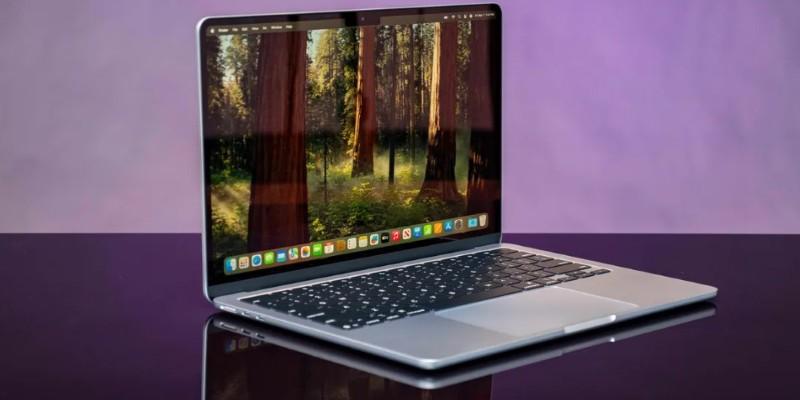
This machine solves the "battery anxiety" problem better than any other device in its class. A realistic user scenario involves a university student or a marketing coordinator who leaves their charger at home on purpose. You can start work at 8:00 AM, keep twenty Chrome tabs open, stream Spotify, jump on Zoom calls, and still have 30% battery left when you get home for dinner. It doesn't just survive a workday; it ignores it.
However, it is not without faults. The expertise lies in noticing what Apple didn't upgrade. The screen is still locked to a 60Hz refresh rate. If you are coming from a high-refresh-rate gaming monitor or a Pro-series phone, the scrolling might look slightly jittery to you. Also, the base model’s limited port selection—just two USB-C ports on one side—remains a bottleneck for anyone who hasn't fully embraced the dongle life.
The Windows Battery King: Dell XPS 13 (2025)
For years, Windows users looked at MacBook battery life with envy. The 2025 Dell XPS 13, powered by Intel’s Lunar Lake architecture, finally levels the playing field. This is the machine for the executive or consultant who lives in airports and boardrooms and refuses to switch operating systems.
The immediate draw is the size. It is impossibly dense and compact, sliding into bags that would struggle to fit a standard legal pad. But the real story is the efficiency. In real-world mixed usage—Excel spreadsheets, web apps, and email—it runs cool and silent. You no longer have to endure the sound of a jet engine firing up just because you opened a large PDF.
The hesitation comes from Dell’s bold, borderline aggressive design choices. The "invisible" haptic trackpad looks futuristic, seamless with the glass palm rest, but it requires a learning curve. You will miss clicks in the first week. You will struggle to find the right-click zone by feel alone. Additionally, the capacitive touch function row, instead of physical keys, is a polarizing move that prioritizes aesthetics over tactile utility. If you rely heavily on the F-keys for shortcuts, test this in a store before you commit.
The Creative Powerhouse: MacBook Pro 16 (M4 Pro)
If your work involves "rendering," "compiling," or "exporting," the MacBook Air won't cut it. The 16-inch MacBook Pro with the M4 Pro chip is a desktop replacement that you can actually use on your lap. It solves the specific problem of performance throttling. Most high-end Windows laptops slow down significantly when you unplug them from the wall; this one delivers the same ferocious speed on battery power as it does when plugged in.
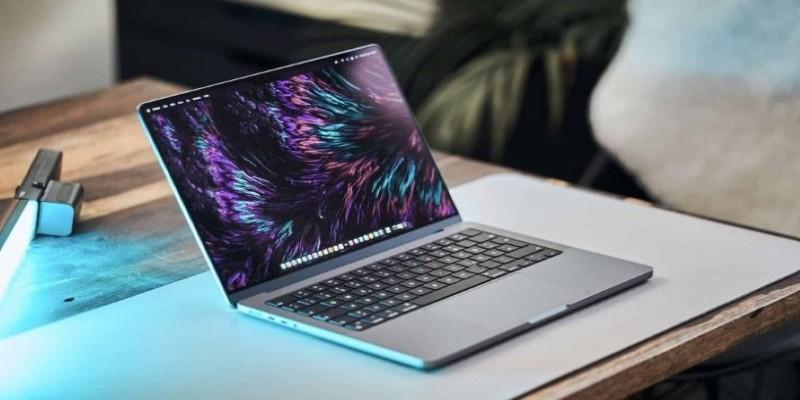
Imagine a video editor sitting in a hotel lobby, scrubbing through 4K raw footage in DaVinci Resolve without a single dropped frame. That is the reality of this machine. The display is another league entirely—the Mini-LED XDR screen offers legitimate HDR playback that makes standard IPS panels look grey and washed out.
The trade-off is physical presence. This is a heavy, thick slab of aluminum. It will make your backpack strap dig into your shoulder. It is also expensive enough to make your accountant weep. Unless you are paid to create heavy media assets, this is likely overkill. Buying this for email and spreadsheets is like buying a Ferrari to drive to the mailbox.
The Versatile Convertible: HP Spectre x360 14
Sometimes you don't just type; you sign documents, sketch ideas, or watch movies in a cramped economy seat. The HP Spectre x360 14 remains the best execution of the 2-in-1 concept. It acknowledges that a laptop is a tool for creation and consumption.
The 2025 model features a stunning OLED screen that makes deep blacks and vibrant colors pop, which is ideal for designers or just watching movies in the dark. The webcam is arguably the best in the business, using AI to frame you perfectly and adjust lighting so you don't look like a ghost on Teams calls. A realistic scenario is a real estate agent who uses the laptop mode to type up a contract, then folds the screen back 360 degrees to hand it to a client for a digital signature.
Expertise requires noting the maintenance of an OLED panel. While beautiful, it consumes more power than standard screens, especially on white backgrounds (like Word documents). You will get slightly less battery life here than with the Dell XPS or MacBook Air. Also, because the RAM is soldered to the motherboard to keep the chassis thin, you cannot upgrade it later. You have to buy the memory you need for the next four years on day one.
Conclusion
The "best" laptop in 2025 is no longer about the highest number on a benchmark test. It is about friction. The MacBook Air M4 removes the friction of battery anxiety. The Dell XPS 13 removes the friction of bulk. The MacBook Pro removes the friction of waiting for render bars, and the HP Spectre removes the friction of needing a separate tablet. Choose the one that removes the specific obstacle you face every morning.