Most people rely on their calendar like a second brain—appointments, calls, deadlines, meetings, events, and the rare open slot all end up in that grid. But the moment two things overlap, everything collapses. Now you're choosing between a client call and a doctor’s appointment or awkwardly backing out of a scheduled meeting. Double-booking isn’t just inconvenient—it creates friction, miscommunication, and missed opportunities.
What many don’t realize is that one quiet setting in Google Calendar can stop all of that. It doesn’t need an extension, app, or workflow overhaul. Just one switch that solves a persistent, universal scheduling problem—by making your availability crystal clear across calendars.
The Tweak: Automatically Decline Events That Conflict
Google Calendar includes a built-in setting called “Automatically decline events that conflict.” When turned on, this feature tells Google Calendar to check if a new event overlaps with something already on your calendar. If it does, the invitation is declined automatically. You don’t have to see it, apologize for missing it, or even notice it happened. Your calendar simply refuses to let anything get double-booked. Here’s why this small change matters.
If you use multiple calendars—one for personal events, another for work, and maybe a shared family or team calendar—then keeping them all in sync can be tricky. Even if you block time on one calendar, others might show you as available unless you mark that time as “Busy.” This tweak acts as a gatekeeper, ensuring no one can schedule over time that’s already accounted for.
It works both when someone sends you a direct invite or when an event gets added automatically (like a scheduled meeting from a booking app). It prevents scheduling conflicts from creeping in unnoticed. The key is that this is automatic—no need to remember, no chance of forgetting.
Why This Setting Should Be the Default for Everyone?
Most people assume their calendar protects them once they’ve added an event. But unless time is marked as “Busy,” or unless others can see your availability, it’s easy to get overlapped—especially in a shared environment.

Here’s what typically happens:
- A colleague sends you a meeting invite at 2 PM, not realizing you already have a dentist appointment on your personal calendar.
- You accept a Zoom call from a client without noticing that it overlaps with a weekly team check-in.
- A meeting gets scheduled automatically via an app like Calendly while you’ve blocked time for focused work—but your calendar didn’t say you were “Busy.”
This tweak solves that by telling Google Calendar: “Never let two things sit on top of each other. Period.”
It removes human error from the equation. You’re no longer depending on your own memory, your assistant’s awareness, or your colleague’s judgment. If there’s a conflict, the calendar says no for you.
It also sends a clear signal to others. When someone sees their invite was declined due to a conflict, they’re more likely to reschedule. That’s far more effective than just ghosting an invite or manually replying days later.
How to Turn It On?
To set this up, follow these steps:
- Open Google Calendar on desktop.
- Click the gear icon (top right), then select Settings.
- In the left-hand menu, scroll to the calendar you want to update and click on it.
- Look for the section called Event settings or Access permissions, depending on your version.
- Toggle Automatically decline events that conflict to ON.
- You may also see an option to “Automatically decline new invitations” and “Decline existing events.” Choose the one that fits your preference. For most people, declining new invitations is enough.
Keep in mind, you need to do this for each calendar where you want this behavior. If you have both a work and personal Google Calendar, this setting is calendar-specific.
If you’re syncing multiple calendars into one view (like seeing your personal calendar inside your work calendar), make sure the synced events are marked as “Busy.” That way, your main calendar treats those blocks as unavailable.
This tweak is subtle but powerful. Once turned on, it quietly protects your time in the background.
Other Ways It Helps—Beyond Just Avoiding Overlap
The immediate win is no more double-bookings. But the benefits ripple out further.
First, it forces you to use your calendar in a reliable way. You start blocking off time you care about—not just for meetings, but for things like lunch breaks, deep work, or picking up your kids. Once that time is marked, Google Calendar will defend it.
Second, it improves your reputation. When people get auto-declines instead of being ignored, it looks more professional. You appear organized, responsive, and respectful of others’ time. That helps build trust, especially in remote or hybrid teams where communication depends heavily on digital signals.
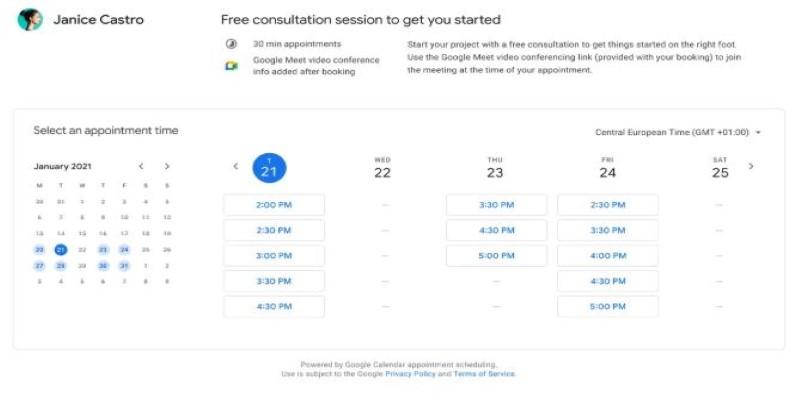
Third, it makes scheduling cleaner. If you’re using tools like appointment booking apps, shared scheduling links, or internal booking platforms, this setting helps ensure your real availability is always correct. You don’t have to remember what’s where—it all gets sorted by the calendar.
Finally, it reduces decision fatigue. You’re not constantly checking if something overlaps, worrying whether you can squeeze it in, or going back and forth rescheduling. The calendar makes those calls for you.
Conclusion
This single Google Calendar tweak acts like a built-in filter, quietly guarding your schedule from overlaps. By automatically declining conflicting invites, it removes the chance of double-booking without you needing to think about it. It simplifies your day, reduces back-and-forth rescheduling, and builds trust with others who rely on your availability. Instead of constantly managing your calendar, you set the rule once and let it handle the rest. Whether you're working across multiple calendars or just trying to protect your focus time, this one change keeps things clean. It’s small, but once enabled, it quietly makes your entire week run smoother.