Social media doesn’t run on guesswork anymore. It runs on numbers. From clicks to comments to shares, every interaction can tell you something about how your content is performing. But knowing what’s working isn’t always easy, especially if you’re managing multiple platforms. The good news? You don’t need to invest in expensive software to get insights.
Plenty of free social media analytics tools exist that give you the visibility you need to track what matters—reach, engagement, audience behavior, and more. This article breaks down 12 free options that can help you make smarter decisions about what to post, when to post, and who you’re really reaching.
12 Free Tools That Show What’s Really Working on Social Media
Meta Business Suite (for Facebook and Instagram)
If you're posting on Facebook or Instagram, Meta Business Suite is a handy, built-in tool you shouldn't skip. It gives you a clean overview of how your posts, stories, and ads are doing—things like reach, clicks, and watch time are all easy to track. One of its best parts? You can see performance across both platforms side by side. It's free for smaller pages and works straight out of the box, so there’s no need for extra setup or software.
Twitter Analytics (now X Analytics)
X (formerly Twitter) has its own built-in analytics that covers tweet performance in detail. You get a monthly snapshot with top tweets, mentions, and follower growth. Individual tweet stats include engagement rate, link clicks, retweets, and profile visits. If you're running polls or threads, this is especially helpful for tracking what catches attention and what falls flat.
YouTube Studio Analytics
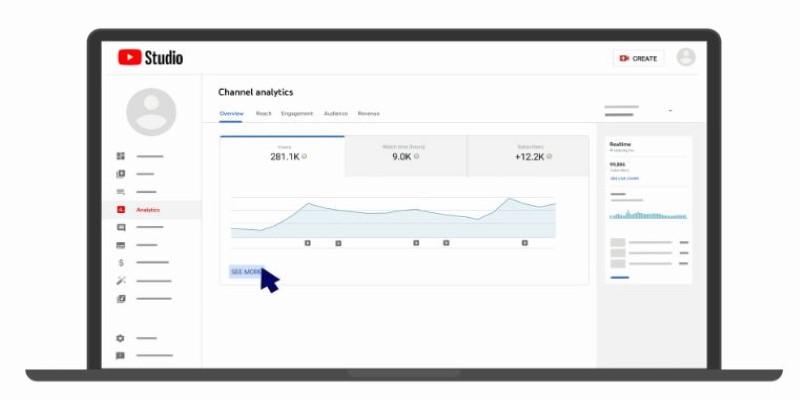
If video is your content format, YouTube Studio gives you robust data for free. It covers everything from watch time and traffic sources to audience retention and demographics. One useful insight is the “click-through rate” on thumbnails, which can help you understand if your titles and images are attracting viewers. It also breaks down performance by device type and even subtitle use, which is useful for accessibility improvements.
TikTok Analytics
TikTok offers in-app analytics for Pro accounts (free to upgrade). It shows detailed metrics on views, profile visits, and follower demographics. For each video, you’ll see average watch time, traffic source, and audience territories. You can even measure how long people watch your content compared to its full length—an underrated metric that shows where interest fades.
LinkedIn Analytics
LinkedIn's native tools give you a full picture of how your posts and page are doing. It tracks impressions, clicks, engagement rate, and follower demographics like industry and job title. You can view performance by post type, which helps you decide whether articles, images, or videos work best for your audience. If you're managing a company page, these analytics are included for free.
Pinterest Analytics
Pinterest offers strong data for business accounts, even if you’re just getting started. You’ll find impressions, saves, and outbound clicks—valuable if you're driving traffic to a site or product. The audience insights section helps you understand user interests, categories they follow, and even the devices they use. This can help tailor your pins for better reach and conversions.
Google Analytics with UTM Tags
While not a traditional social tool, Google Analytics lets you see how traffic from social platforms behaves on your website. You can track visits, bounce rates, time on page, and conversion goals. By using UTM parameters, you can distinguish traffic from each platform or campaign. This is key for connecting social efforts to business results.
Buffer (Free Plan)
Buffer's free version gives you access to basic post analytics for platforms like Facebook, Instagram, and Twitter. You can schedule content and then track likes, comments, and shares after publishing. It also offers suggestions for optimal post times based on previous performance. Though limited to one user and a few accounts, it’s a great starting point for creators or small teams.
Hootsuite Free Plan
Hootsuite’s free plan allows you to manage up to two social profiles and includes limited analytics. It shows how posts are performing across platforms, with engagement metrics like clicks, shares, and reach. You won’t get full data reports, but it does give enough feedback to help spot content trends and monitor engagement over time.
Followerwonk (for Twitter)
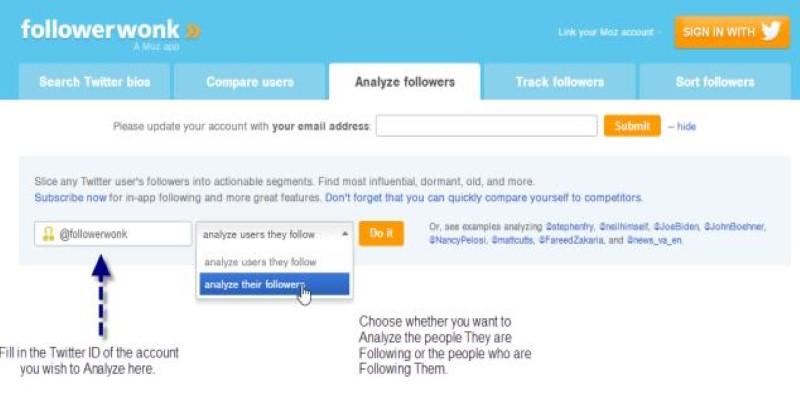
Followerwonk focuses on audience analysis rather than just content. It helps you explore Twitter followers, track their activity patterns, and compare them with other accounts. One valuable insight is the “best time to tweet” feature based on when your followers are most active. You can also analyze bio data to understand follower interests and professions, which helps in refining your message.
Social Blade
Social Blade covers YouTube, Instagram, Twitter, and Twitch. It shows real-time stats for growth, follower counts, and engagement rates. For creators, it’s helpful to compare performance with competitors or track long-term trends. The interface is a bit dated, but the data is reliable. You can use it to check average views per day, projected earnings (for monetized content), and audience growth rates.
Later (Free Plan)
Later focuses on Instagram but also supports Facebook, Pinterest, and TikTok. With a free plan, you get access to post analytics like engagement rate, reach, and performance by hashtag. It’s particularly helpful for visual-first content since it offers a media library and content calendar. It even suggests the best times to post based on engagement history.
Conclusion
You don’t need a massive budget or a stack of paid apps to make sense of social media. These 12 free social media analytics tools offer enough insight to guide your content strategy, track audience behavior, and measure growth in real time. They’re flexible, reliable, and built for people who want answers without the fluff. If you’re consistent about reviewing your performance and adjusting your strategy based on what works, even basic tools can help you grow your presence and make a bigger impact. Whether you’re running a brand account or building a personal profile, data-backed decisions always win out over blind guesswork.