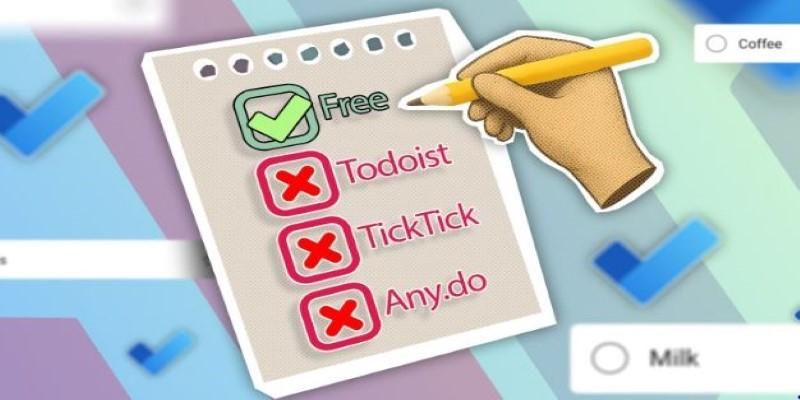
Most people don’t need a complicated system to keep their lives in order—they just need a task manager that works across devices and doesn’t get in the way. Yet so many of the popular apps lock useful features behind paywalls, nudging you toward monthly plans just to set a recurring reminder or sync across platforms.
It’s easy to forget that there are solid options out there that do the job without charging a fee. Microsoft To Do is one of them. It offers the core features most people use, stays consistent across devices, and doesn’t cost a thing to use.
Why Microsoft To Do Stands Out?
Microsoft To Do keeps things straightforward. It doesn't pile on tools you won’t use or push premium upgrades at every turn. Instead, it gives you lists that sync across devices, due dates, reminders, and shared access—all free and fully usable without limits. The interface is clean and quiet, making it easy to focus on your tasks rather than the tool itself.

The app works on Windows, macOS, Android, iOS, and any browser. Sign in with a Microsoft account, and everything is automatically synced. It becomes especially useful if you’re already using Outlook or other Microsoft tools, as tasks can sync directly between apps. It’s not just for work, either—grocery lists, chores, reading lists, travel plans—it handles all of it.
Unlike many free tools, collaboration isn't cut off. You can share lists with others and assign tasks. There's no cap on how many tasks you create or how many people you share them with. That makes it a good fit for both solo use and small group coordination. You're not stuck with a reduced version or forced into a trial that expires after a few weeks.
Features That Matter Without the Noise
Microsoft To Do isn’t trying to be a project management system. It avoids heavy features like timelines, dependencies, or complex labels. What it gives you instead is focus—especially through the “My Day” view. This space resets daily, helping you choose a few tasks to focus on, separate from your full backlog. It clears mental clutter, especially if you’ve got dozens of pending items across various lists.
Tasks can include subtasks, notes, and file attachments. You can add recurring reminders with just a couple of taps. It doesn’t force you to build a system with tags, priorities, or folders unless you want to. This flexibility is useful for anyone who finds structured systems too rigid for personal planning.
Reminders and due dates are synced in real time across your devices. Whether you add a task on your phone or your computer, everything updates quickly. You can also add tasks with your voice through digital assistants. It’s a quiet feature, but helpful when you’re walking or mid-task.
For recurring activities—whether it’s paying rent, taking medication, or calling a client—the setup is quick and hassle-free. You won’t need to dig into hidden menus to set a repeat schedule. Microsoft To Do handles these kinds of routines with less friction than many paid apps.
Practical Cross-Device Use
Consistency across platforms is where Microsoft To Do really pulls ahead. Whether you're using Android or iOS, macOS or Windows, the experience remains steady. Tasks sync almost instantly. There’s no delay between adding something on your phone and seeing it on your desktop. That kind of stability is rare in many free task apps.
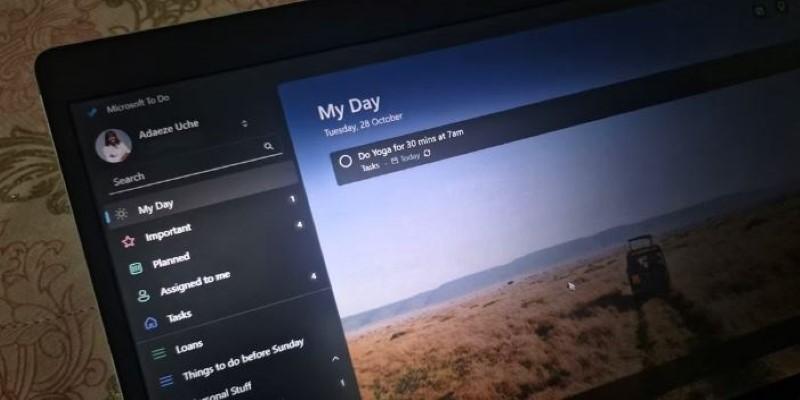
The app’s mobile widget and pinned lists help you stay on track without needing to launch the full app every time. For users on Windows, it blends well into the system, especially with Outlook. If you’re working offline, you can still add, edit, and check off tasks. Everything syncs once you’re connected again.
The browser version is just as functional as the app. It doesn’t lag or hide features behind the desktop experience. That makes it especially handy for people who switch between personal and work devices or use shared computers.
The interface doesn’t change from one platform to another, which means less time figuring things out and more time actually doing what’s on your list. You won’t find features that disappear just because you're on a different device, nor will you be nudged to upgrade for basic syncing.
A Long-Term, No-Cost Choice
While many paid tools wrap simple features in premium plans, Microsoft To Do keeps things open. You can set recurring tasks, add notes, share lists, and attach files—without running into a paywall. It's a system that stays focused on your daily needs, rather than trying to over-explain your productivity habits.
For users already in the Microsoft ecosystem, the added bonus is how well it links with tools like Outlook. But even if you’re not using other Microsoft services, To Do holds up well as a standalone tool. It doesn’t lean on integration to be useful. Its strength comes from doing the basics right.
The development backing from Microsoft gives the app stability. Unlike some smaller apps that vanish or limit access without notice, this one has remained dependable. Updates are rolled out steadily, but they never drastically change the way the tool works. That’s a plus for users who want something that just works, month after month.
Data privacy is managed under Microsoft’s standards, which adds a layer of trust, especially compared to newer or lesser-known tools. Your lists aren’t being mined for marketing or shared with third parties.
This is a task tool that works without getting in the way. You don’t need tutorials or training to start. And once you’ve used it for a while, you’ll likely find that it meets your needs more than expected—without the recurring bill.
Conclusion
Microsoft To Do offers a reliable, no-cost alternative to subscription-based task apps. It focuses on core features like cross-device syncing, reminders, list sharing, and daily planning without clutter or upsells. The interface is clean and consistent, making it simple to manage tasks across platforms. There are no hidden costs or limited-access features, which makes it appealing for users seeking a dependable tool without ongoing fees. It delivers what most people need—just a straightforward way to stay organized, without distractions.